If you’ve ever opened your email marketing platform, stared at a blank canvas, and thought “Okay... but where do I start?” This one’s for you.
Consistent list engagement is so important when it comes to email marketing but creating email campaigns can feel tricky and time consuming. If you’re anything like me, writing a “quick email” somehow almost always turns into a three-hour+ design project 🙃
This is exactly the problem Flodesk’s* new AI accelerated design app, Flodesk Studio tackles. Designed to make email marketing *way* easier while still leading with human-first design, it’s a game changer.
PsSsttT Not currently a Flodesk user?
This is still for you!
You can design your email in Flodesk Studio, then export it to any email platform that supports HTML (so freaking awesome). So if you’re currently not a Flodesk user, keep reading because this still applies to you.

Before we dive in, it’s important to note I am a Flodesk Partner* which means I do get a small commission if you sign up for a paid Flodesk plan (Studio is free while in beta). To be super transparent, these links are marked with an asterisk* I also may receive some sort of incentive for this post. I only ever recommend things I 100% believe in and use myself.
So... what exactly is Flodesk Studio?
Flodesk Studio is a new email builder that combines beautiful human-designed templates with AI to bring your email campaign ideas to life speedy quick.
Flodesk* describe it as “AI Accelerated, not generated” which I love and think is an awesome way to utilize this kind of tech. It feels a bit like if Flodesk (the email marketing system), Canva, and ChatGPT all had a baby.
Basically, using a prompt you tell Flodesk Studio what you want to create. From there it uses a library of pre-designed layouts and design elements to create a starting point. You then customize the generated email until it feels like you.
As a Flodesk Partner, I was lucky enough to get a sneak peak before the public launch of this super cool new tool. Since then, I have been ITCHING to share it with you. Now that the beta has officially launched (🎉), I’m so excited for us to take it for a spin together.
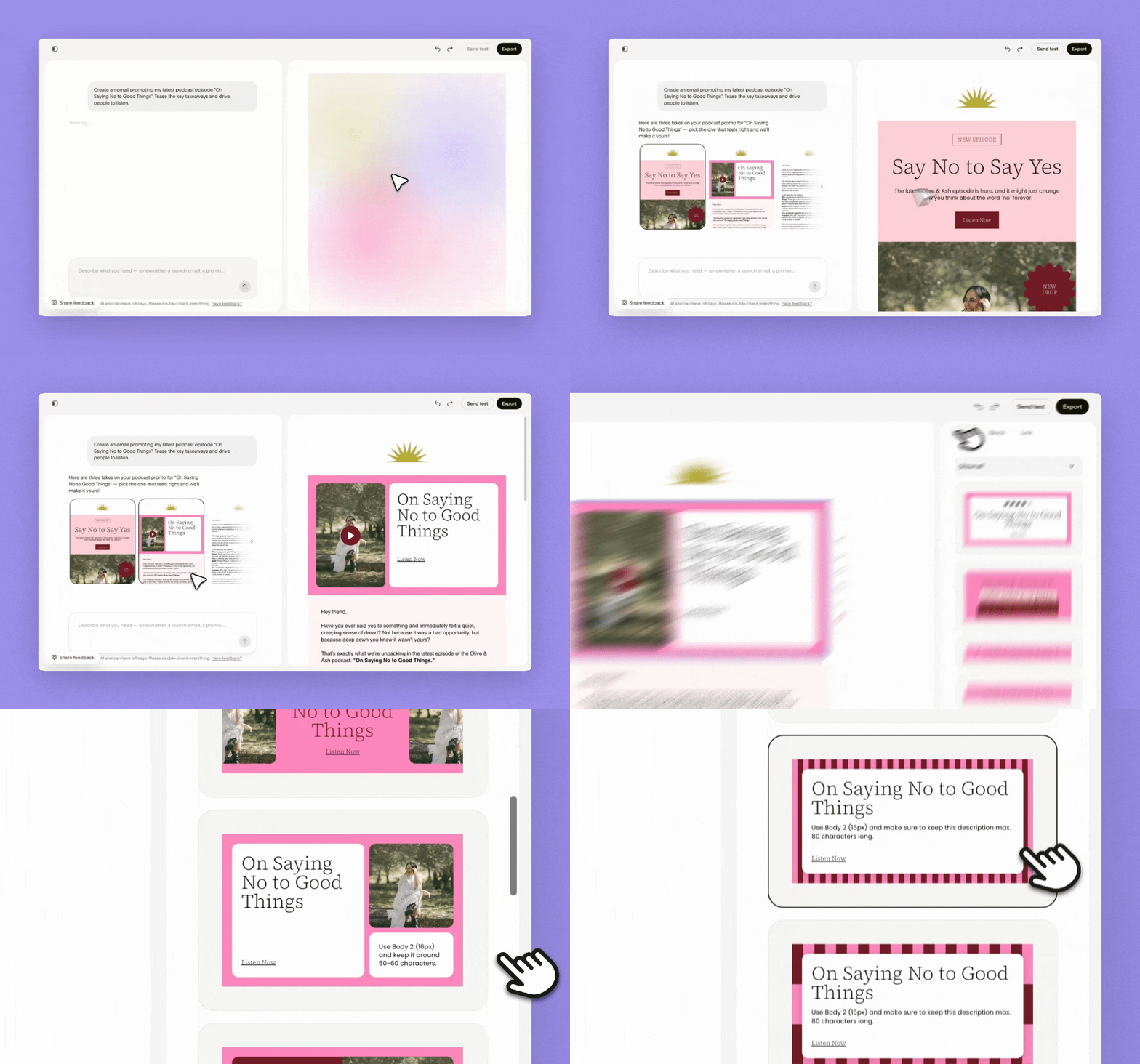
Creating an email in Flodesk Studio: Step-by-step
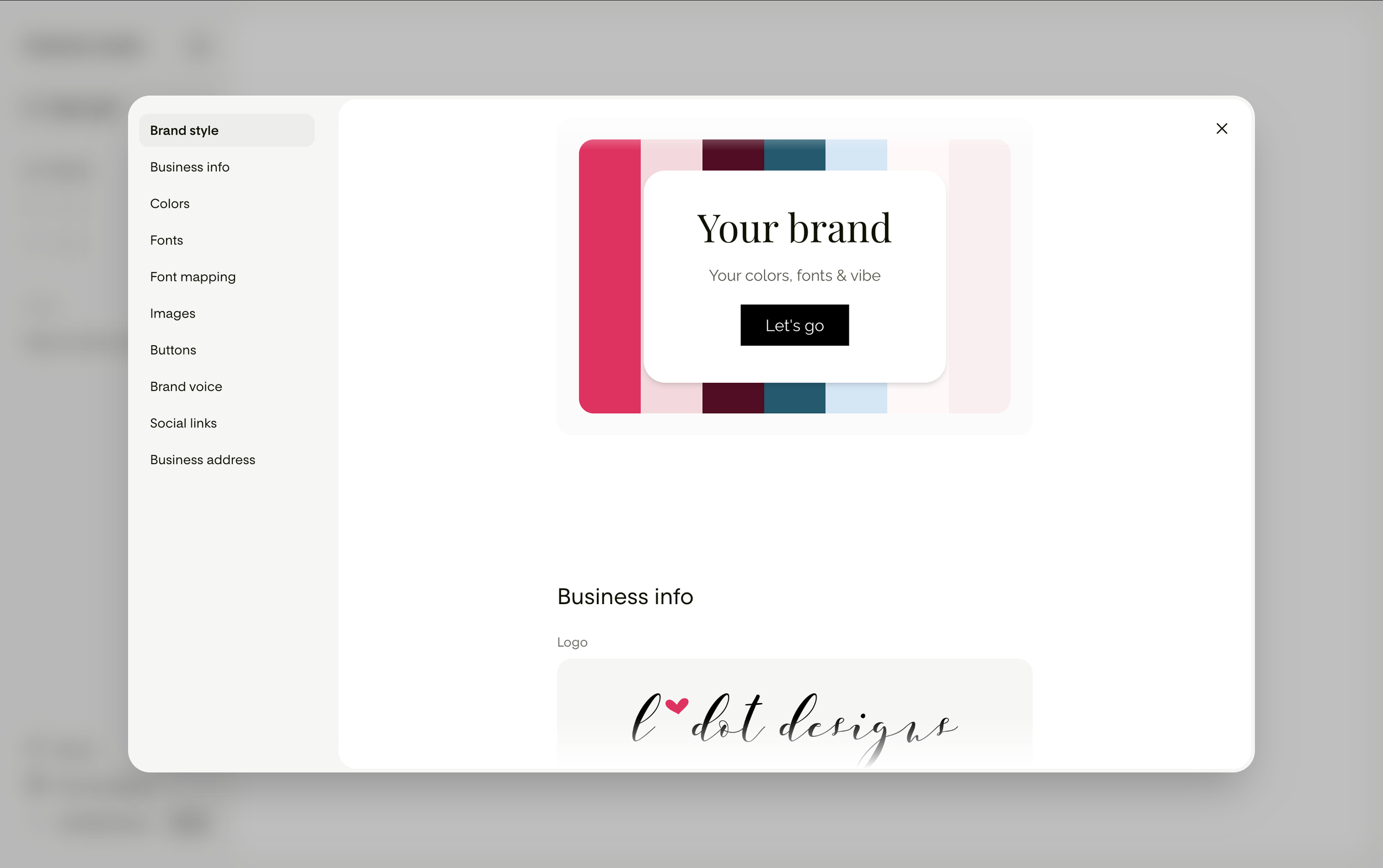
Step 1 | Add your brand
The first thing Flodesk Studio does is learn about your brand.
Since I already use Flodesk*, some of my branding information was imported automatically. From there, I could customize and expand everything even further.
You can add :
Business information (logo, business name, website, description, etc.)
Colour palette
Font suite and font mapping (this means telling the system what font goes where i.e. heading, paragraphs etc.)
Brand images
Button styling
Brand voice
Social links
Business address for email compliance
This step is what helps Flodesk Studio create emails that actually feel like you and your business.
Step 2 | Give Flodesk Studio a prompt
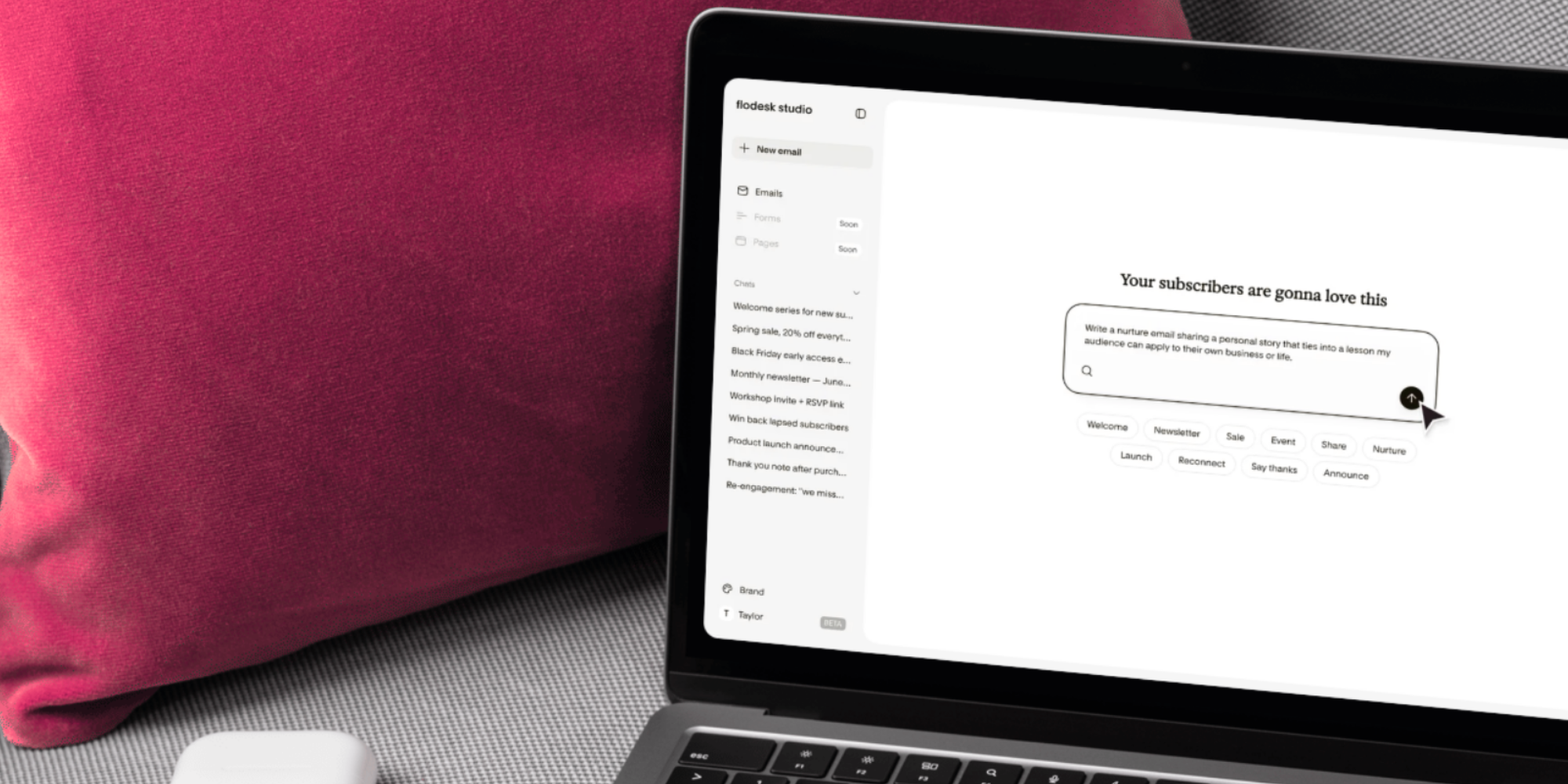
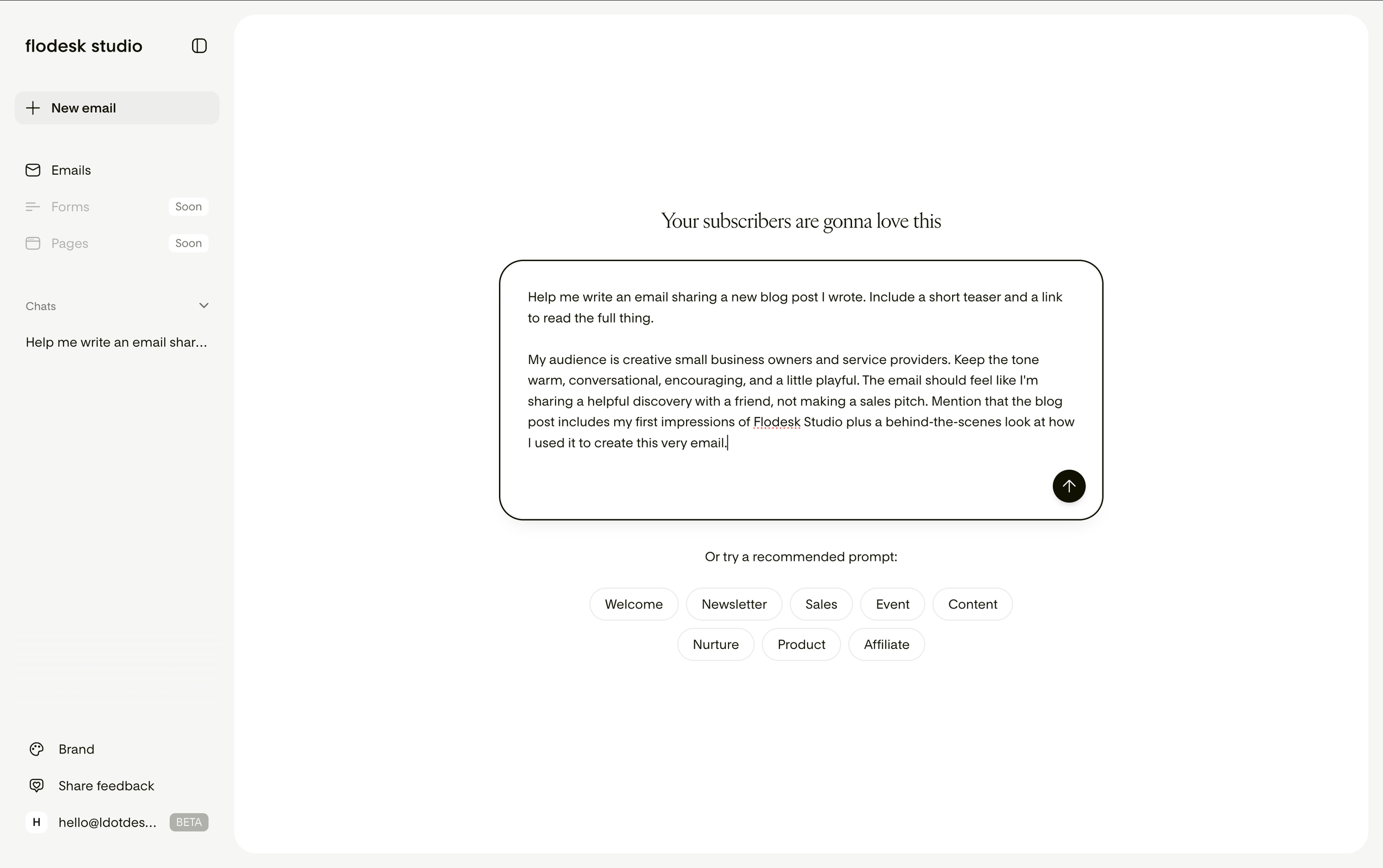
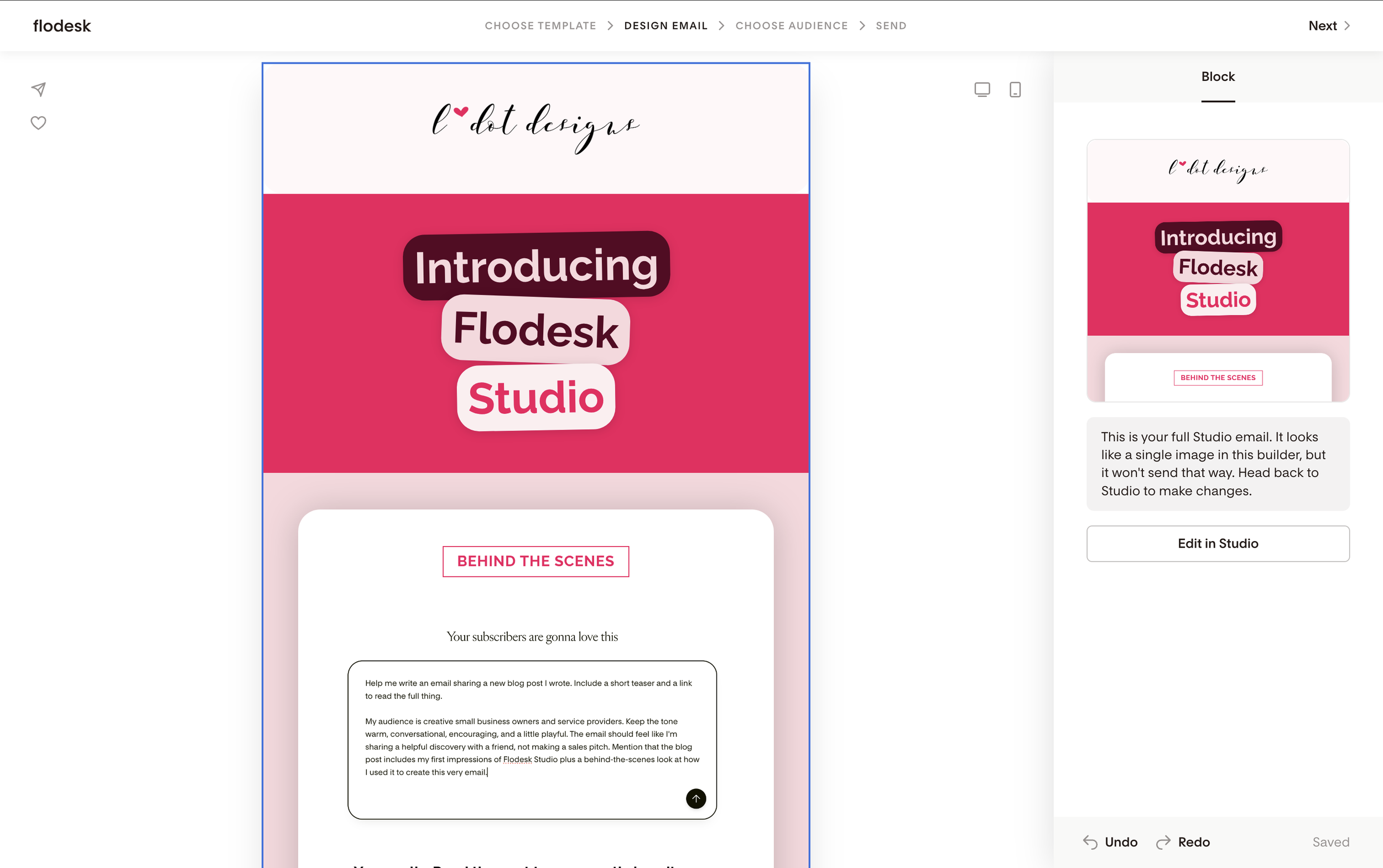
Once your brand is set up, you’re ready to start building your first email campaign. Unlike the traditional Flodesk* EMS builder, this is done using an AI prompt. You can either use one of Flodesk Studio’s pre-written prompts or create your own from scratch.
As a long winded writer / chronic over explainer who wants to give ALL THE DETAILS, I absolutely love that Flodesk Studio doesn’t have a character limit. This means I can be as detailed (or concise) as I want.
I also really love the pre-written prompts. When I first opened the app, I was staring at the screen thinking, “Ummm...what do I even write?” There are so many prompts ready to go right at your fingertips which makes it really easy to start.
Once you enter your prompt the AI will ask you follow-up questions to better understand what you’re trying to create before generating your designs as needed.
For the email we’re creating today, I put the following prompt into Flodesk Studio:
[This was one of their pre-written prompts]
Help me write an email sharing a new blog post I wrote. Include a short teaser and a link to read the full thing.
[And I added this}
My audience is creative small business owners and service providers. Keep the tone warm, conversational, encouraging, and a little playful. The email should feel like I'm sharing a helpful discovery with a friend, not making a sales pitch. Mention that the blog post includes my first impressions of Flodesk Studio plus a behind-the-scenes look at how I used it to create this very email.
Step 3 | Pick your design
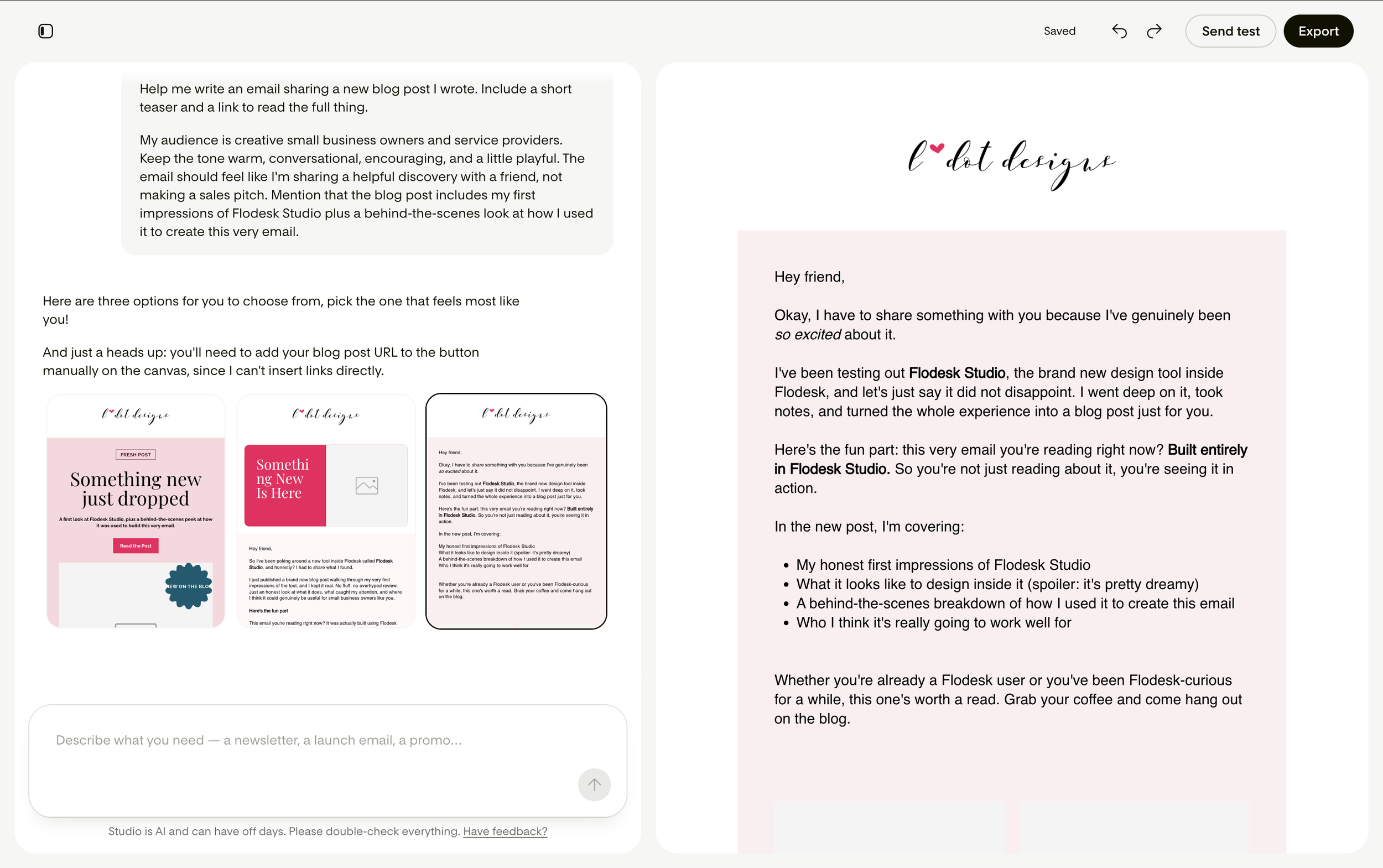
After reading your prompt and answers to any follow-up questions, Flodesk Studio creates three different email campaign designs as starting points to choose from. It also creates the initial copy for your email, which you can edit and personalize.
The three options are :
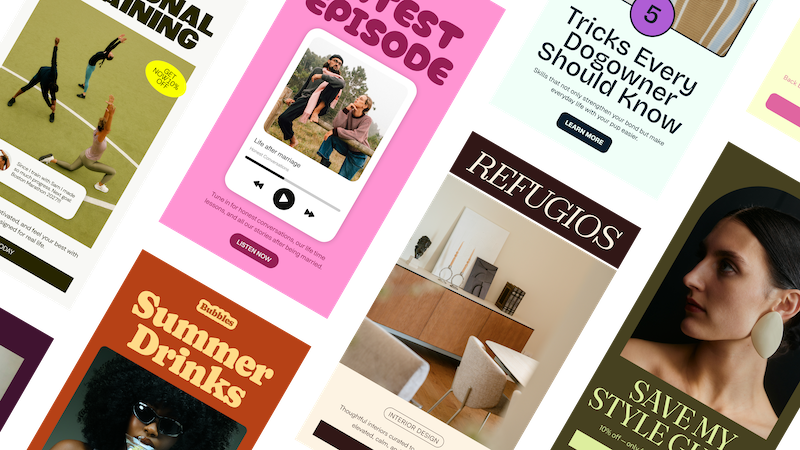
Visual : very image forward with lots of design elements.
Banner : has a single hero image or banner at the top followed by text. This is a great middle ground.
Plain-text : a no frills email that reads like it’s a personal email from you.
Choose the direction that feels closest to what you’re imagining, then keep customizing from there.
In my case, I chose the plain text option (#3) since I was feeling exited to play with the new design tools and the copy it created was the closest to what I wanted to say.
Step 4 | Make it yours
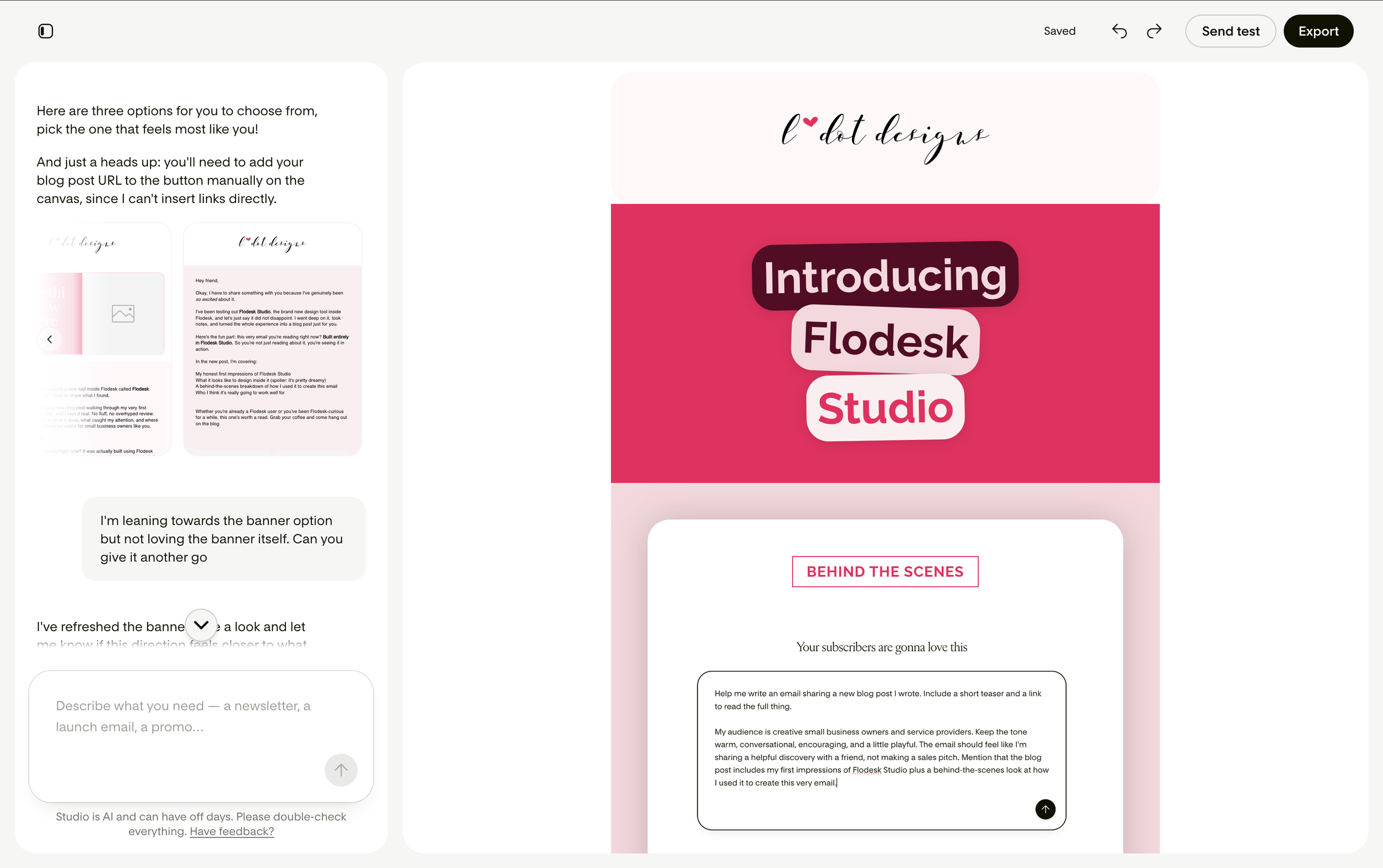
Now comes my favourite part: designing the email. You have your starting point and now it’s time to play.
Flodesk Studio includes tons of new blocks, layouts, stickers, image shapes, and customization options that aren’t available in their standard email editor. These really help you to make the email your own.
Pro Tip: Block duplication is your best friend.Whether you’re designing in Flodesk’s* classic builder or Flodesk Studio, always duplicate the block before making any changes. That way, if you accidentally take your email in a direction you don’t love, you can easily revert back to the original version.
Step 5 | Export and send
Once your email feels ready, it’s time to send it into the world!
You can:
Send directly through Flodesk*
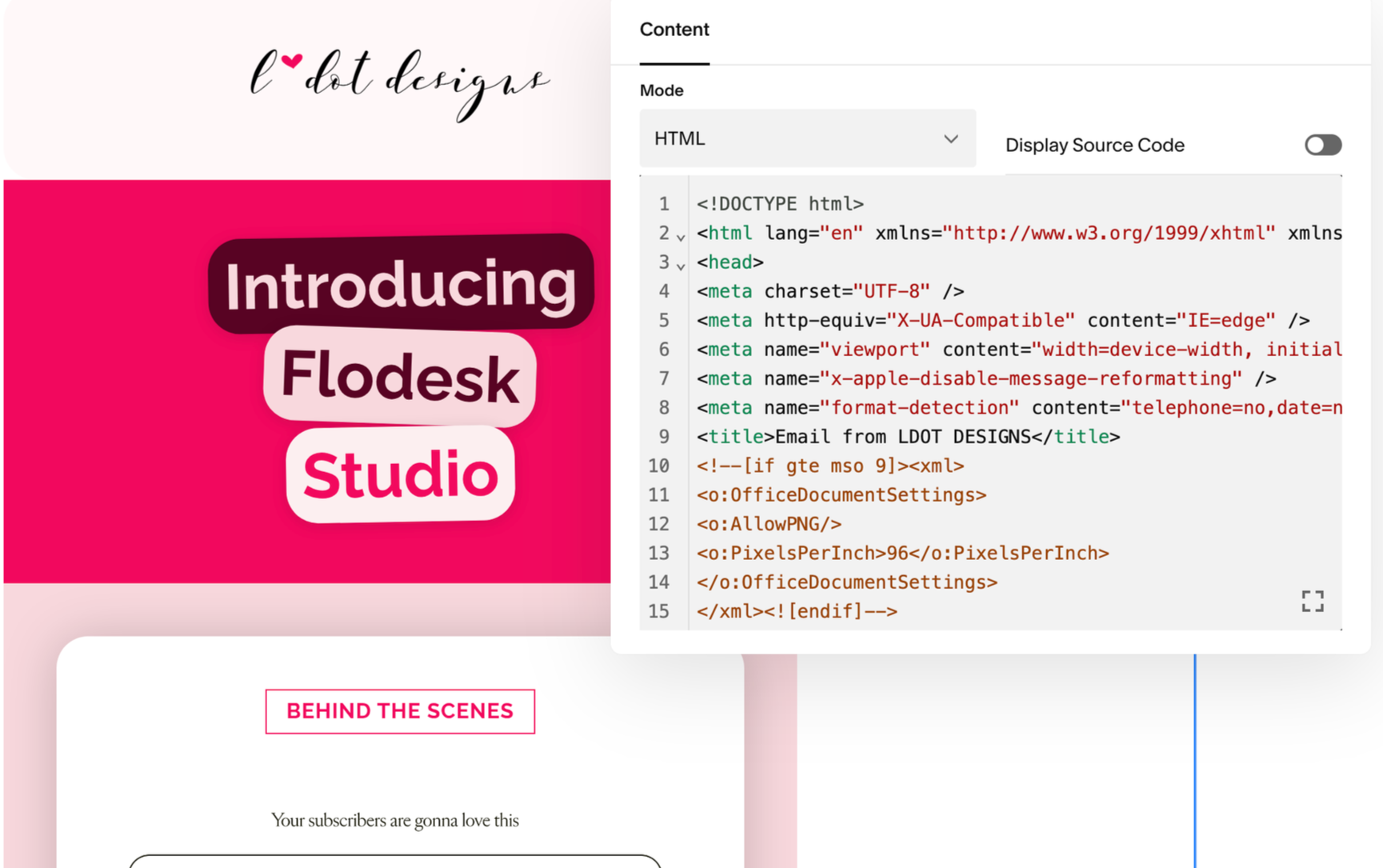
Download the HTML
Copy the HTML into another email platform
You can also send a test directly through Flodesk Studio which is really neat (and always recommended).
Once you’ve successfully moved it over to your email marketing system, tested it out and everything looks good… it’s time to hit send on your beautiful new email! (This always feels so exciting to me)
Important Note: you cannot make changes to emails designed in Flodesk Studio in the traditional Flodesk* EMS. If you notice something you want to change, simply head back into Flodesk Studio, make your edits, and export again.
Some of my favourite things about Flodesk Studio
Design flexibility is taken up a notch
I love the traditional Flodesk* email builder but when you use it all the time, the built in layouts can start to feel a bit repetitive. Having the option for this new method of building with more design options reinvigorates that design joy.
My favourite new design addition is the “sticker” shapes within some of the layout blocks. I just adore how instead of feeling locked into a ridge spot on the block, they can be freely move and adjusted (similar to Canva).
Overall, I’m loving playing with all the new tools and I’ve only just scratched the surface.
Super easy to stay on brand
Flodesk Studio does a great job using your branding as a foundation so the emails it creates feel much more cohesive. Flodesk* was already really great at this, but Flodesk Studio is next level.
I’m extra excited about this for clients who struggle with keeping this on brand.
Fun little details
One of my favourite aspects is how playful the whole user experience feels.
For example, while Flodesk Studio is working, you aren’t just staring at a boring loading screen. There are cute little phrases that cycle through while it’s thinking.
Little details like this are so delightful and make this tool feel really enjoyable to use.
Use it on any platform
Not a Flodesk* EMS user? No problem! You can use Flodesk Studio and export to HTML so you can use it in any EMS. This is seriously game changing.
It makes email design feel easy peasy & speedy quick
Last but certainly not least, Flodesk Studio drastically speeds up the process for writing and designing emails.
As someone who regularly finds “email my list” ends up at the bottom of the todos, it feels like a weight has been lifted. I’m so excited to see how using this creates efficiency and impacts my business going forward.
A few things to know before you try Flodesk Studio
It’s currently free while in beta
Right now, Flodesk Studio is completely free while they continue building and improving it. This is code for: it’s a work in progress and they’re figuring out the kinks as they go.
Things will continue to evolve. Be kind, give feedback and expect it to get even better (exciting!)
From the language I’ve read on the Flodesk Studio website, I’m also thinking in the future this tool will be an additional cost but while they’re figuring things out, it’s free. Now’s the time to see if you love it and play while it’s $0.
Studio is a separate app from Flodesk
Even though they work beautifully together and are connected, Flodesk Studio and Flodesk* are currently separate platforms. This may change in the future, but for now you’ll access and use them separately.
It’s email campaign focused for now
At the time of launch, in Flodesk Studio, you can only design email campaigns.
As previously mentioned, it’s still in beta and they are building live as they get feedback. Pages, forms, & additional features are in the works but haven’t launched yet.
Important Note:You also can not use the email campaigns you build for workflows yet. Lots of people are asking for this so fingers crossed it will be prioritized and come soon.
My Flodesk Studio Verdict
After playing around with it, I think Flodesk Studio is a really exciting tool that makes designing email campaigns both fast and fun.
I also love that it doesn’t replace creativity or lean too heavily on AI. Instead it gives you an awesome place to start, then hands it back to you to put your own personal stamp on it.
Do I think I’ll continue to use it? Yes - it’s pretty neat and only going to get better. Anything that makes creating and sending emails feel more fun (and faster) is a win in my books.
Although I don’t think Flodesk Studio will completely replace the classic Flodesk* builder for me quite yet (I have some templates I’ve created and use over there that I really love), I think it has lots of potential and could help me stay more consistent with email marketing (especially once workflows are available). This really excites me!
There you have it! A first look at Flodesk Studio!
If you’ve been putting off starting an email list or reaching out to your current one because designing emails feels overwhelming, it’s definitely worth giving a go, especially while it’s free in beta. So jump in, play, and I can’t wait to see what you build.
Have fun and happy creating! ✨

P.S. If you enjoyed this blog post, you might enjoy…
These Other blog posts

these posts on the ol’Insta :